🛠️ Update
Purpose: > Update is similar to Union in extent but in the area where the two layers overlap, only the geometry and attributes of update layer is retained.
🎭 Illustration

📋 Technical Specifications
| Requirement | Detail |
|---|---|
| Input Feature Types | {Polygon} |
| Output Feature Type | Polygon |
| Map Name | 05.Update |
| inputs GDB | 05.input_update.geodatabase |
| output GDB | 05.output_update.geodatabase |
🧠 Logic & Arithmetic Operation
Logic: $A \cap (B-A)$
⚙️ Parameters & Conditions
Input Parameter: Input Features
Overlay Parameter: Update Features
Geometry: Polygon
No. of Inputs: Two or more
Order: matters
Coordinate System: Same as 1st input layer
🚩 Key Notes
- The Update tool works similarly to Union, but with stricter rules:
- Both input and update layers must be polygons.
- The output is polygon in nature.
- Unlike Union, interchanging input and update layers produces different results:
- This gives two possible combinations to start with, depending on which layer is chosen as input vs. update.
🐍 Arcpy Function
arcpy.analysis.Update(in_features, update_features, out_feature_class, {keep_borders}, {cluster_tolerance})
for more on function parameters, check: Arcpy Documentation Here.
🖼️ Figures
| Inputs | Output AB | Output BA |
|---|---|---|
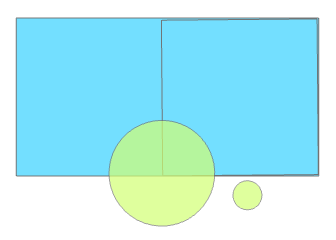 | 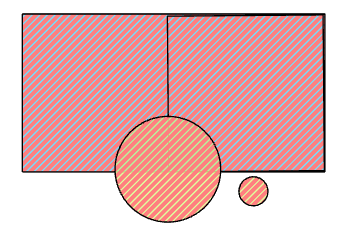 | 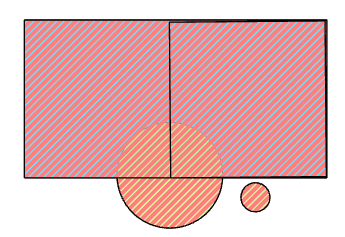 |